

TL;DR — Design Engineer in 60 Seconds
- Definition: A hybrid role combining UI/UX design with frontend development to ship production-ready interfaces without designer-to-developer handoffs
- Core activities: Prototyping, building design systems/tooling, and implementing polished production UI
- Key distinction: Design engineers work on the “front-of-the-front-end” (look and feel), not the “back-of-the-front-end” (application logic)
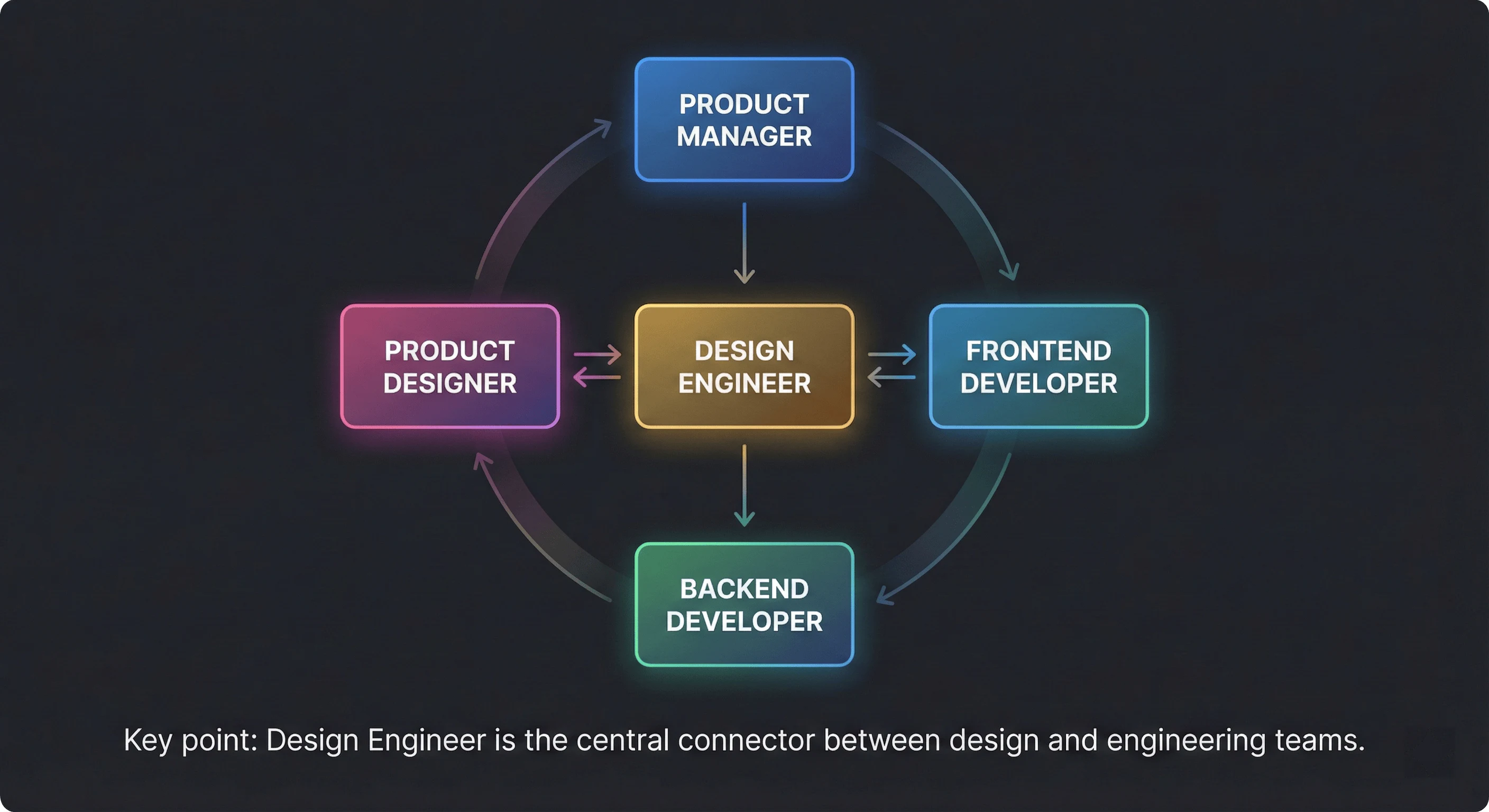
- Salary range: $150K-$250K+ at top companies (Vercel, Stripe, Linear)
- Essential tools: Figma, React/Next.js, Storybook, Framer Motion, TypeScript
A design engineer is a hybrid professional who combines UI/UX design expertise with frontend development skills to ship production-ready interfaces without the traditional designer-to-developer handoff. As Natalya Shelburne defines it in the Design Engineering Handbook: “Design engineering finesses the overlap between design and engineering to speed delivery and idea validation.”
This role is having a moment. Companies like Vercel, Linear, The Browser Company, and Replit are actively cultivating design engineers, recognizing that the best digital products come from people who can both envision and build exceptional interfaces. If you’ve ever felt stuck between “designer” and “developer”—frustrated that neither title captures what you actually do—you might already be a design engineer.
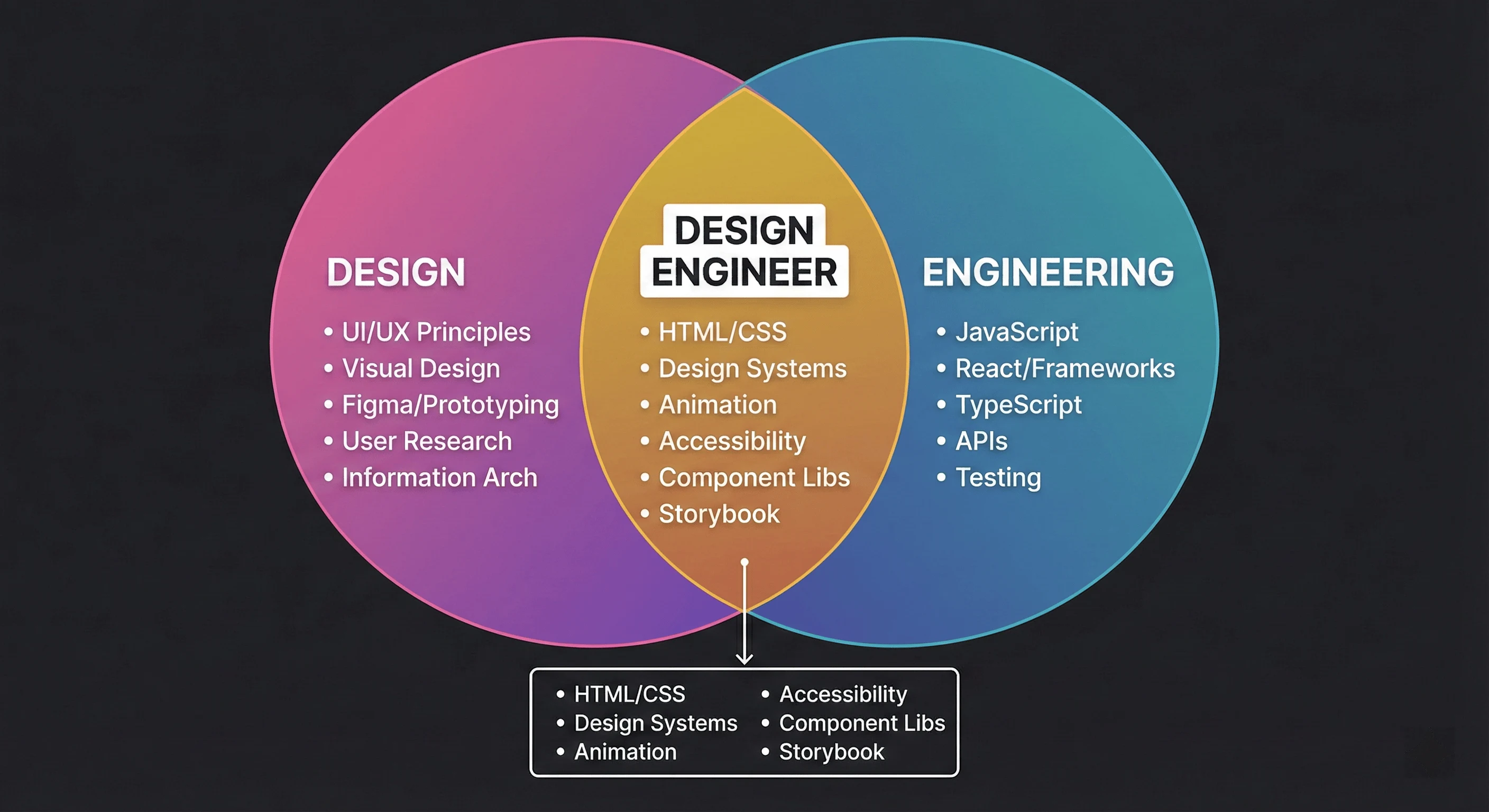
What Does a Design Engineer Do? (3 Core Activities)
Design engineers solve the problems that arise where design and engineering overlap. Sean Voisen, who leads design engineering teams at Adobe, breaks the role into three primary activities:
1. Prototyping - Building high-fidelity, working prototypes in code that help teams explore ideas, validate assumptions, and communicate design intent. This goes beyond click-through Figma prototypes to functional code that demonstrates how interactions actually feel.
2. Building tooling and infrastructure - Creating design systems, component libraries, and the workflows that help designers and engineers collaborate effectively. This includes design tokens, Storybook documentation, and visual regression testing.
3. Building UI - Implementing production interfaces that require strong design sense and attention to detail. Design engineers often take on the work that requires finessing animations, micro-interactions, and visual polish that other engineers can’t prioritize.
Design engineers typically own these responsibilities:
- Component Development: Building reusable, accessible UI components that match design specifications exactly
- Design System Implementation: Translating design tokens and patterns into scalable code using tools like Storybook and Chromatic
- Prototyping: Creating interactive prototypes that demonstrate how features should feel, not just look
- Animation & Micro-interactions: Adding polish with tools like Framer Motion that makes interfaces feel alive
- Performance Optimization: Ensuring beautiful interfaces don’t sacrifice speed (Core Web Vitals matter)
- Accessibility: Making sure every user can interact with the product, following WCAG guidelines. Our guide on accessibility for design engineers covers the essential patterns
The “Front-of-the-Front-End” Framework
Brad Frost’s influential framework provides the clearest mental model for understanding where design engineers fit. He divides frontend work into two camps:
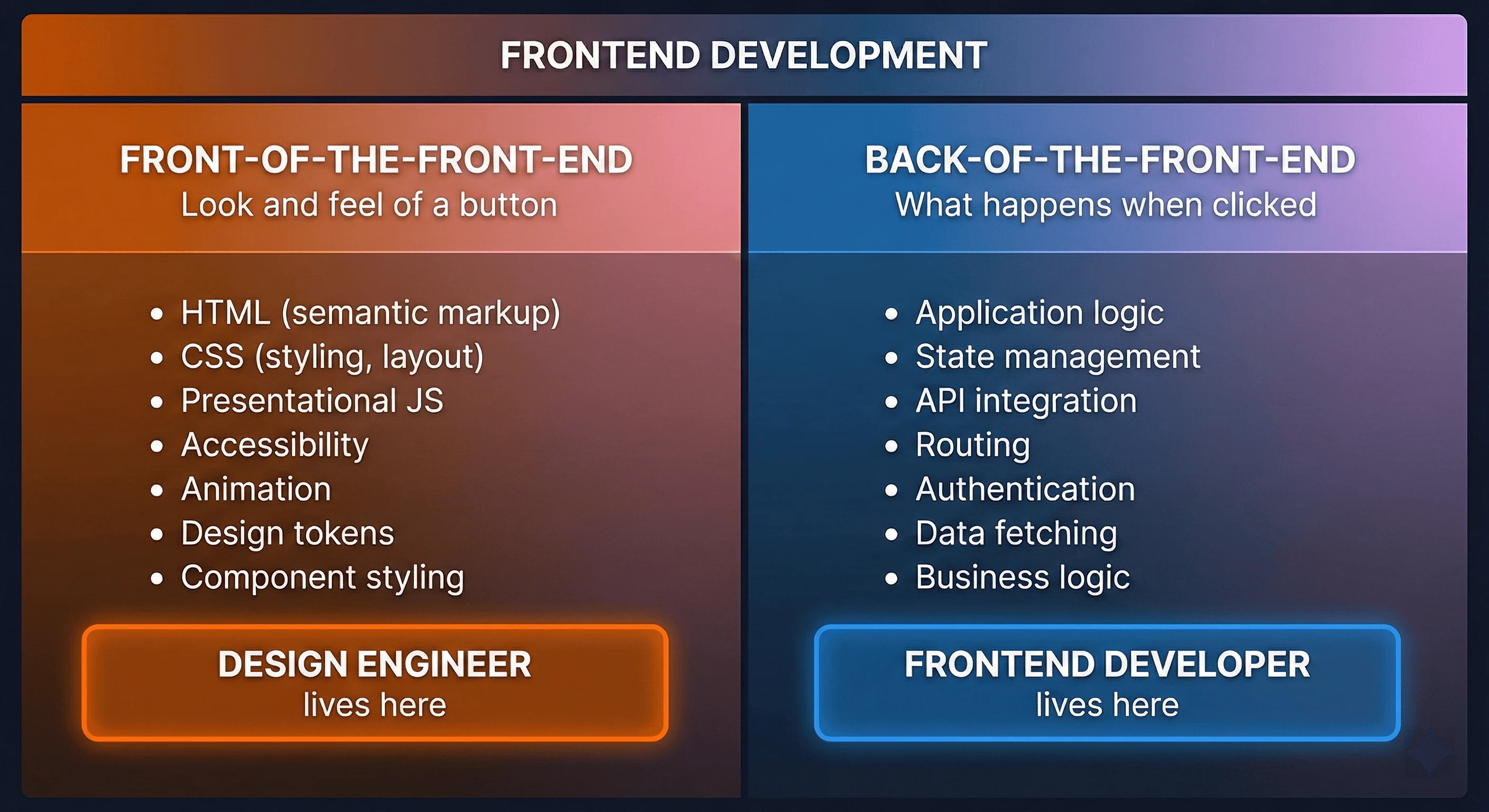
Front-of-the-front-end developers determine the look and feel of a button—they write HTML, CSS, and presentational JavaScript. They care about semantic markup, CSS architecture, accessibility, and visual fidelity.
Back-of-the-front-end developers determine what happens when that button is clicked—they handle application logic, state management, API integration, and data flow.
Design engineers sit squarely in the front-of-the-front-end camp, but with deeper design skills than typical frontend developers. As Frost puts it: “A front-of-the-front-end developer determines the look and feel of a button, while a back-of-the-front-end developer determines what happens when that button is clicked.”
This distinction matters because it clarifies what design engineers don’t typically do: they’re not writing backend logic, managing databases, or architecting complex state management. They’re focused on the craft of the interface itself.
Design Engineer vs. Frontend Developer: Key Differences
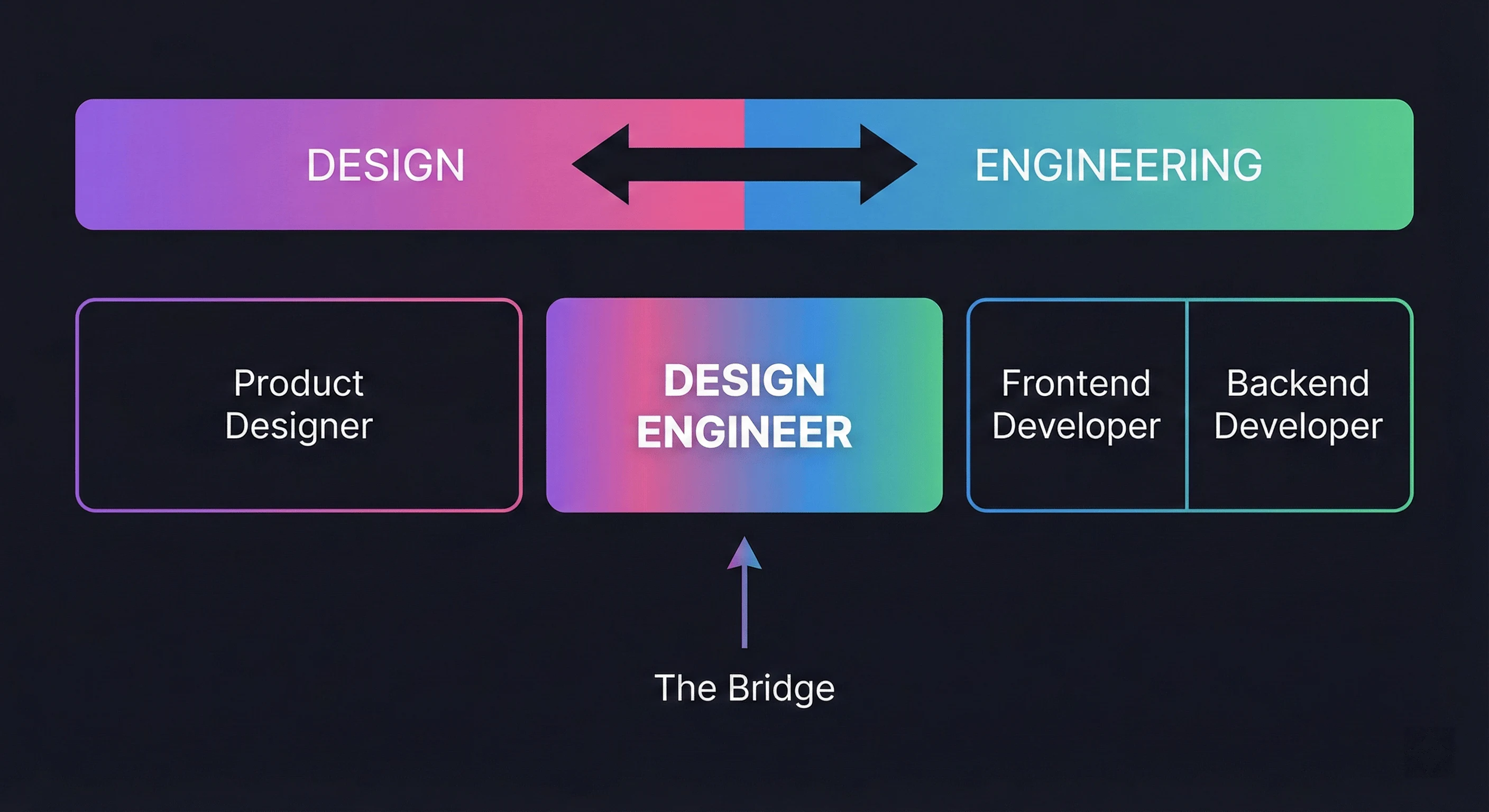
While there’s overlap, design engineering isn’t the same as frontend development. The distinction isn’t about skill level - it’s about where attention is concentrated.
| Aspect | Frontend Developer | Design Engineer |
|---|---|---|
| Primary Focus | Application architecture, data flow, API integration | User experience, visual fidelity, interaction design |
| Brad Frost’s Framework | Back-of-the-front-end | Front-of-the-front-end |
| Design Involvement | Receives designs, implements them | Co-creates designs, iterates in code |
| Tools | IDEs, testing frameworks, CI/CD, state management | Figma + development tools, Storybook, Chromatic |
| Key Metrics | Performance, test coverage, code quality | User satisfaction, design consistency, accessibility |
| Reports To | Engineering leadership | Often design/product leadership |
| Collaboration | Backend engineers, DevOps | Designers, product managers, researchers |
Neither role is “better” - they’re complementary. The best teams have both. Many individuals develop skills in both areas over time, but the distinction helps organizations hire and structure teams effectively.
Design Engineer vs. UX Engineer vs. Product Designer
These roles often get confused. Here’s how they differ:
| Aspect | Design Engineer | UX Engineer | Product Designer |
|---|---|---|---|
| Primary Output | Production UI, design systems | Prototypes, research tools | Mockups, wireframes, specs |
| Code Involvement | Ships production code | Builds prototypes, some production | Little to none |
| Design Involvement | Co-creates, iterates in code | Validates through prototypes | Owns design decisions |
| Tools | Figma + React/Next.js + Storybook | Figma + prototyping tools + some code | Figma, Sketch, Adobe XD |
| Works Closest With | Designers + frontend engineers | UX researchers + designers | Product managers + engineers |
| Typical Background | Frontend dev who learned design | Designer who learned to code | Design school or bootcamp |
| Salary Range (US) | $150K - $250K | $130K - $200K | $120K - $180K |
| Best For | Shipping polished production UI | Validating UX hypotheses quickly | Defining product vision and flows |
Tobias Ahlin, a design engineer at GitHub, describes the role as “engineering less with logic and more with visuals… the engineering of visuals mostly. So you work less with logic and more with performance, animation, and just UX - anything that could be about the perceived experience of an app or page.”
What Skills Does a Design Engineer Need?
The skillset spans both design and development, with emphasis on the intersection.
Technical Skills
Frontend Technologies: Deep proficiency in HTML, CSS, and JavaScript. You need to understand the platform - CSS Grid, Flexbox, custom properties, container queries, and modern layout techniques. Semantic HTML and accessibility aren’t afterthoughts; they’re core competencies.
JavaScript Frameworks: Experience with React, Next.js, or Astro is highly valuable. Understanding component architecture, composition patterns, and when to use client vs. server rendering matters.
TypeScript: Increasingly essential for building maintainable component libraries. Type safety improves collaboration and catches errors before they reach users.
Animation & Interaction: Tools like Framer Motion and CSS animations. Understanding animation principles - easing, timing, choreography - matters as much as the implementation.
Design Systems Tooling: Storybook for component documentation, Chromatic for visual regression testing, design token tools like Tokens Studio.
Component Libraries: Familiarity with headless UI libraries like Radix UI, Headless UI, or component collections like shadcn/ui. Understanding Tailwind CSS is increasingly essential for rapid UI development.
AI-Assisted Development: Tools like GitHub Copilot, v0, and Claude are changing workflows. Design engineers who can effectively prompt, iterate, and refine AI-generated code have a significant productivity advantage. Our AI-augmented development guide covers these workflows in depth. Understanding React Server Components helps you leverage modern rendering patterns.
Design Skills
UI/UX Principles: Strong understanding of usability, accessibility, and information architecture. You should critique designs and suggest improvements based on technical constraints and user needs.
Prototyping Tools: Proficiency in Figma is essential. Being able to work directly in design tools speeds up collaboration and reduces handoff friction.
Visual Design Fundamentals: Typography, color theory, spacing systems, and visual hierarchy. You don’t need to be a graphic designer, but you need to understand why design decisions are made.
Design Systems Thinking: Understanding how to create and maintain scalable design systems. This includes atomic design methodology, design tokens, and component APIs. Learn more in our guide to building design systems from scratch.
Soft Skills
Design engineers serve as translators between design and engineering teams. You need to:
- Explain technical constraints to designers (“we can’t animate that property performantly on mobile”)
- Articulate design rationale to engineers (“the 8px spacing creates visual rhythm that improves scannability”)
- Navigate ambiguity when neither design nor engineering has a clear answer
- Advocate for user experience when deadlines pressure teams to cut corners
For managing complex component state, understanding modern state management patterns helps you make better architectural decisions.
Tools of the Trade
Design engineers bridge two toolchains. Here’s what a typical toolkit looks like:
| Category | Tools |
|---|---|
| Design | Figma, Sketch, Adobe XD |
| Design Tokens | Tokens Studio, Style Dictionary, Figma Variables |
| Development | VS Code, React/Next.js, TypeScript, Tailwind CSS |
| Component Documentation | Storybook, Docusaurus |
| Visual Testing | Chromatic, Percy, Playwright |
| Animation | Framer Motion, GSAP, CSS animations |
| Accessibility | axe DevTools, Lighthouse, VoiceOver/NVDA |
| Version Control | Git, GitHub/GitLab |
The magic happens in the tools that bridge both worlds: Storybook connects component code to design documentation. Design tokens flow from Figma to CSS variables. Visual regression tests catch when code changes break design intent.
Companies Known for Design Engineering
These companies have established design engineering as a distinct, valued role:
Vercel: Their design engineers “work across the company, contributing to branding, marketing, product development, and the internal design system.” They skip traditional handoffs—designers sketch ideas and iterate with design engineers directly in Figma or code.
Linear: Known for obsessive attention to interface detail. Their product feels crafted in a way that requires design-engineering hybrid thinking.
The Browser Company (Arc): Building a browser requires rethinking fundamental UI patterns. Their team includes people who can both envision and implement novel interactions.
Replit: Their product is essentially a design-engineering tool, so they naturally attract people who think in both domains.
GitHub: Their Primer design system is maintained by design engineers who care deeply about accessibility, performance, and developer experience.
Stripe: Known for exceptional documentation and developer experience, which requires design-engineering sensibility.
What Do Design Engineers Earn?
Design engineering commands premium compensation because the skillset is rare. Here’s what to expect in the US market (2026 data, updated March 2026):
| Company Tier | Base Salary | Total Compensation |
|---|---|---|
| Top-tier (Vercel, Stripe, Linear) | $175K - $205K | $200K - $280K+ |
| Large tech (GitHub, Shopify) | $150K - $190K | $180K - $250K |
| Mid-market tech | $120K - $160K | $140K - $200K |
| Startups (funded) | $100K - $150K | $120K - $180K + equity |
| Agencies | $80K - $120K | $90K - $140K |
According to Glassdoor, Vercel’s design engineer roles typically require 7+ years of experience. Levels.fyi data shows Stripe product designers (a related role) earning $270K+ in total compensation at senior levels.
The premium exists because companies struggle to find people who do both well. A mediocre designer who can code, or a mediocre developer with design sense, isn’t a design engineer. The role requires genuine competence in both domains.
A Day in the Life of a Design Engineer
What does this role actually look like in practice?
Morning: Review new designs in Figma for an upcoming feature. Leave comments asking about edge cases—what happens when the user has 100 items? How should this behave on mobile? Propose an animation approach for the new modal, referencing similar patterns in the design system.
Mid-morning: Pair with a designer to prototype an interaction. You’re both in Figma, but you’re also spinning up a quick CodeSandbox to test whether the animation feels right at 60fps. The designer adjusts timing based on seeing it run in a real browser.
Lunch: Catch up on design system updates. A new component was added to Storybook—review the implementation to ensure it matches design specs, has proper TypeScript types, and passes accessibility audits.
Afternoon: Deep work on implementing a complex interactive UI component. You’re building a multi-select dropdown with keyboard navigation, proper ARIA attributes, and smooth animations. This requires both design sensibility (does it feel right?) and engineering rigor (does it work correctly across browsers?). Understanding React Hooks deeply helps you build performant, maintainable components.
Late afternoon: Code review for another engineer’s PR. You notice the spacing doesn’t match design system tokens and the focus states are missing. Leave constructive feedback with specific suggestions and links to the relevant Storybook documentation.
End of day: Quick sync with the product manager about upcoming features. You share concerns about a proposed design that might have performance implications on lower-end devices and suggest alternatives that achieve the same user goal.
How Frontend Developers Can Transition to Design Engineering
If you’re a frontend developer looking to expand into design engineering, here’s a practical roadmap:
Phase 1: Build Design Foundations (1-2 months)
- Learn UI/UX fundamentals: Take courses from Interaction Design Foundation or Nielsen Norman Group
- Get comfortable in Figma: You don’t need to be an expert, but you should navigate confidently and understand auto-layout, components, and variants
- Study existing design systems: Analyze Shopify Polaris, GitHub Primer, Atlassian Design System, and Radix
Phase 2: Practice Design Implementation (2-3 months)
- Rebuild designs pixel-perfectly: Pick a Dribbble shot or a well-designed app screen and implement it exactly
- Focus on details: Spacing, typography, shadows, transitions, hover states, focus states
- Contribute to design discussions: Ask “why” questions about design decisions at work. Offer technical perspective on what’s feasible
Phase 3: Develop Your Eye (Ongoing)
- Follow design engineers: Rauno Freiberg, Emil Kowalski, Paco Coursey, Amelia Wattenberger (see Maggie Appleton’s collection)
- Critique interfaces daily: What works? What doesn’t? Why?
- Build a portfolio: Show work that demonstrates both design sensibility and engineering quality
Skill Progression
| Skill | Frontend Developer Level | Design Engineer Level |
|---|---|---|
| HTML/CSS/JavaScript | Expert | Expert |
| UI/UX Principles | Basic awareness | Applied understanding |
| Figma/Design Tools | Can inspect | Can contribute |
| Animation/Interaction | Basic CSS transitions | Choreographed, purposeful motion |
| Design Systems | Consumer | Creator and maintainer |
| Accessibility | Compliance-focused | User-experience-focused |
| Visual Design | Can follow specs | Can improve specs |
How Designers Can Transition to Design Engineering
The path from design to design engineering is equally valid. Many successful design engineers started as visual or product designers who learned to code.
Start with HTML and CSS
CSS is essentially a design language—you’re already thinking in terms of colors, spacing, and layout. Modern CSS with Grid and Flexbox maps closely to how you think in Figma. Start here because the mental model transfers directly.
Learn JavaScript Fundamentals
You don’t need computer science depth. Focus on:
- Variables, functions, and basic data structures
- DOM manipulation and event handling
- Async operations (promises, fetch)
- Array methods (map, filter, reduce)
Pick a Framework
React is the most common choice for design engineers because of its component model and ecosystem (Framer Motion, Radix UI, etc.). Start with the basics:
- Components and props
- State and effects
- Composition patterns
Build Your Own Designs
The best way to learn is implementing your own work. You’ll quickly discover the gap between what looks good in Figma and what works in a browser—and that knowledge is exactly what makes design engineers valuable.
The Future of Design Engineering
The role will continue evolving as tools and workflows change:
AI-assisted workflows: Tools like v0 and GitHub Copilot are changing how design engineers work. Those who can effectively prompt, iterate, and refine AI-generated code will have an advantage. But the core skill - understanding both design and engineering deeply enough to make good decisions - remains irreplaceable.
Design-to-code tools: Figma’s Dev Mode, Anima, and similar tools are reducing friction between design and code. Design engineers who understand both sides can leverage these tools most effectively. Learn more about this workflow in our Figma to Code guide.
Increased specialization: As products grow more complex, we’ll likely see sub-specializations: design systems engineers, motion designers who code, accessibility-focused design engineers.
More companies adopting the role: The success of companies like Vercel and Linear - known for exceptional interfaces - is making other organizations recognize the value of design engineering. Expect more job postings and clearer career paths.
AI-Augmented Design Engineering
AI tools are reshaping the design engineer’s workflow in 2026:
- Design-to-code: Tools like Figma’s AI features and Cursor can generate component code from designs
- Component generation: AI coding assistants produce accessible, typed component boilerplate in seconds
- Design review: AI can flag accessibility issues, inconsistent token usage, and responsive breakpoint gaps
- Prototyping: Natural language descriptions can scaffold interactive prototypes faster than manual coding
The design engineer’s value shifts from writing boilerplate to curating AI output, ensuring design fidelity, and making judgment calls about interaction quality that AI cannot.
Design Engineer Interview Questions
Preparing for a design engineering interview? Here are common questions and what interviewers are looking for:
Technical Questions
“Walk us through implementing this Figma design as a React component.”
- They want to see your process: analyzing the design, identifying reusable patterns, considering responsive behavior, and writing clean, accessible code
- Mention design tokens, component composition, and edge cases
“How would you build an accessible dropdown menu from scratch?”
- Demonstrate knowledge of ARIA attributes, keyboard navigation, focus management
- Discuss the tradeoffs between building custom vs. using Radix UI or Headless UI
“This animation feels sluggish. How would you debug and fix it?”
- Show understanding of browser rendering: layout thrashing, composite layers, will-change
- Mention tools: Chrome DevTools Performance tab, React DevTools Profiler
- Reference performance optimization techniques
Design Judgment Questions
“The designer wants this interaction, but it has performance implications. How do you handle it?”
- They want to see collaboration skills, not just technical knowledge
- Discuss proposing alternatives that achieve the same user goal with better performance
“How do you decide when a design is ‘good enough’ to ship?”
- Balance perfectionism with pragmatism
- Mention user impact, technical debt, and iteration cycles
Portfolio Questions
“Tell us about a project where you improved both the design and the code.”
- Have 2-3 strong examples ready with specific metrics
- Explain your decision-making process, not just the outcome
“Show us something you built that you’re proud of.”
- Choose work that demonstrates both design sensibility and engineering quality
- Be ready to discuss what you’d do differently now
Key Takeaways
Before diving into next steps, here’s what matters most:
- Design engineers bridge the gap between design and engineering, eliminating the friction that occurs during traditional handoffs
- The role has three core activities: prototyping, building design systems/tooling, and implementing production UI with polish
- Brad Frost’s framework clarifies the position: design engineers work on the “front-of-the-front-end” (HTML, CSS, presentational JS), not application logic
- Compensation is premium ($150K-$250K+) because the hybrid skillset is genuinely rare
- Top companies are hiring: Vercel, Linear, The Browser Company, Replit, GitHub, and Stripe all value this role
- Two paths in: Frontend developers can learn design fundamentals; designers can learn to code—both routes are valid
- The future is bright: AI tools will change workflows, but the core skill of understanding both domains remains irreplaceable
Conclusion
Design engineering sits at the intersection of two disciplines, bridging the gap that traditionally caused friction, lost nuance, and compromised user experiences. The role requires genuine competence in both design and frontend development—not just awareness, but the ability to do the work.
The best design engineers share a common trait: they care deeply about the end user’s experience. They sweat the details that most people won’t consciously notice but will definitely feel. They understand that great interfaces aren’t just about looking good—they’re about feeling right.
If this resonates with you—if you’ve felt caught between “designer” and “developer,” frustrated that neither title captures your work—you might already be a design engineer. The industry is finally creating space for this hybrid role, and companies are actively seeking people who can do both.
Next steps:
- Explore Framer Motion for adding polish to your interfaces
- Learn to build design systems from scratch
- Master the Figma to Code workflow for seamless design handoff
- Understand accessibility for design engineers to build inclusive UIs
- Study the work of design engineers at Maggie Appleton’s collection
- Follow the Design Engineering Handbook for deeper frameworks
The gap between design and code has always existed. Design engineers are the people who decided to live in it.