

The Vibe Coding Reality Check
After reviewing 127 AI-generated codebases in production, I’ve seen this pattern repeatedly: A team ships a “working” authentication system in 45 minutes using Claude or Cursor.
The AI wrote code that worked. It didn’t write code that was secure, scalable, or maintainable.
This is the vibe coding trap: AI makes it dangerously easy to build prototypes that feel production-ready but collapse under real-world conditions.
TL;DR: From Vibe Coding to Production
- The Problem: 73% of vibe-coded apps never reach production. AI generates functional code that lacks architectural judgment, security, and maintainability.
- The Paradox: Developers write code 35% faster with AI but spend 20% more total time debugging.
- Comprehension Debt: Building systems faster than you can understand them creates maintenance nightmares.
- Technical Debt Explosion: AI-generated code shows 8x increase in duplication, 153% more architectural problems.
- The Solution: Treat AI as a first draft tool, not a final solution. Implement quality gates, mandatory reviews, and production checklists.
- Production Readiness: Security audits, performance testing, error handling, monitoring, and documentation are non-negotiable.
- Reality Check: AI is a productivity multiplier for experienced developers, not a replacement for engineering judgment.
What is Vibe Coding?
Vibe coding is an AI-assisted development technique where developers prompt an LLM to generate code, then evaluate it by execution results rather than code review.
Should I Vibe Code or Learn to Code?
Short answer: Learn to code first, then use vibe coding as a productivity tool.
Here’s the reality: Vibe coding without foundational programming knowledge is like using a calculator without understanding math. You’ll get answers, but you won’t know if they’re correct.
When to Choose Learning to Code
Choose traditional learning if you:
- Have no programming experience (start with fundamentals)
- Want to build a career in software development
- Need to understand system architecture and design patterns
- Plan to maintain and scale applications long-term
- Work in teams where code review is mandatory
- Need to debug complex issues independently
Why it matters: The MIT study on AI coding shows developers spend 20% more time debugging AI-generated code.
When Vibe Coding Makes Sense
Use vibe coding if you:
- Already know how to code (use AI to accelerate)
- Need rapid prototypes or MVPs for validation
- Build internal tools with limited scope
- Have strong code review skills to catch AI mistakes
- Understand security, performance, and architecture
- Can refactor AI code into production-quality systems
The sweet spot: Experienced developers using AI tools like Cursor or GitHub Copilot write code 35% faster while maintaining quality through code review.
The Hybrid Approach (Recommended)
Best strategy for 2026:
-
Learn fundamentals first (3-6 months)
- JavaScript/TypeScript basics
- HTML/CSS and responsive design
- Git version control
- Basic algorithms and data structures
-
Add AI tools gradually (months 6-12)
- Start with GitHub Copilot for autocomplete
- Use AI for boilerplate and repetitive code
- Always review and understand generated code
- Learn to spot AI mistakes and anti-patterns
-
Master AI-assisted development (year 2+)
- Use Cursor for complex multi-file changes
- Leverage AI for architecture suggestions
- Combine AI speed with engineering judgment
- Build production systems with confidence
The Comprehension Debt Problem
Why you can’t skip learning: Vibe coding creates “comprehension debt”—you build systems more sophisticated than your skill level can maintain. When bugs appear (and they will), you’re stuck.
Real example: A developer used Claude to build an authentication system in 45 minutes. It worked perfectly in demos.
Career Impact: Learning vs Vibe Coding
| Aspect | Learning to Code | Vibe Coding Only | Hybrid Approach |
|---|---|---|---|
| Time to First Project | 3-6 months | 1-2 weeks | 2-3 months |
| Code Quality | Improves with practice | Inconsistent, fragile | High with AI acceleration |
| Debugging Ability | Strong | Weak (relies on AI) | Strong + AI-assisted |
| Job Market Value | High | Low (can’t pass interviews) | Highest (modern skillset) |
| Production Readiness | Yes (with experience) | No (73% failure rate) | Yes (best of both) |
| Salary Range | $70K-$180K | Not hireable | $90K-$220K |
The Bottom Line
Don’t choose between vibe coding and learning to code—do both in the right order.
- Start with fundamentals - You need to understand what good code looks like
- Add AI tools - Use them to accelerate, not replace, your learning
- Build real projects - Combine your knowledge with AI productivity
- Review everything - Never ship AI code without understanding it
The future belongs to developers who can code AND leverage AI effectively. Pure vibe coding without fundamentals leads to unmaintainable systems and career dead-ends.
AI Coding Tools for Production Development (2026)
Choosing the right AI coding tool significantly impacts your production readiness. Here’s how the leading tools compare:
| Tool | Best For | Production Features | Price | Key Strength |
|---|---|---|---|---|
| Cursor | Full-stack development | Multi-file editing, codebase context, composer mode | $20/mo | Best codebase understanding |
| GitHub Copilot | Enterprise teams | Security scanning, compliance, audit logs | $19-39/mo | Enterprise security features |
| Windsurf | Agentic workflows | Autonomous agents, cascade mode, flows | $15/mo | Most autonomous coding |
| v0 by Vercel | Frontend/UI | React components, Tailwind, shadcn/ui | $20/mo | Best for UI generation |
| Replit Agent | Rapid prototyping | Instant deployment, built-in hosting | $25/mo | Fastest prototype to deploy |
| Claude Code | Terminal workflows | CLI-based, file operations, bash commands | $20/mo | Best for backend/scripts |
| Cline (VSCode) | VSCode users | Native VSCode integration, free tier | Free-$20/mo | Best value for money |
Production Recommendation: Use Cursor or GitHub Copilot for production applications. Both offer superior codebase context and security features.
For Enterprise: GitHub Copilot Enterprise provides compliance features, audit logs, and security scanning required for regulated industries.
Need help choosing the right AI coding tool? Read our comprehensive AI-Augmented Development Guide comparing Cursor, Windsurf, Kiro, Claude Code, and more with real developer workflows.
Key characteristics:
- No manual code review
- Evaluation by execution only
- Iterative prompt refinement
- Optimized for prototyping speed
Unlike traditional AI-assisted coding or pair programming, vibe coding skips code examination entirely. You describe what you want, the AI generates it, you run it—if it works, you ship it.
The Vibe Coding Workflow
1. Describe what you want in natural language
   ↓
2. AI generates complete code
   ↓
3. Run it and see if it works
   ↓
4. If broken, describe the problem
   ↓
5. AI fixes it (repeat until it works)
Vibe Coding vs Traditional Development vs AI-Assisted Development
Understanding the differences helps you choose the right approach for each project phase:
| Aspect | Traditional Coding | Vibe Coding | AI-Assisted (Production) |
|---|---|---|---|
| Code Review | Manual, line-by-line | None (execution only) | Mandatory human review |
| Speed | Baseline (1x) | Very fast (5-10x) | Fast (3-5x) |
| Quality | Depends on developer | Works but fragile | High with proper gates |
| Security | Manual security review | Often vulnerable | Automated + manual audit |
| Maintainability | High (you wrote it) | Low (black box) | High (reviewed & documented) |
| Best Use Case | Complex systems | Prototypes, demos | Production applications |
| Debugging Time | Moderate | High (don’t understand code) | Low (understand + AI help) |
| Technical Debt | Controlled | High (8x duplication) | Managed with quality gates |
Key Insight: Vibe coding is a tool, not a methodology. Use it for rapid prototyping, then transition to AI-assisted development with proper engineering practices for production.
Why Developers Love Vibe Coding
Research analyzing vibe coding practices shows developers experience “instant success and flow” with vibe coding. The appeal is clear:
- Speed: Build a full authentication system in 30 minutes
- Accessibility: Non-developers can create functional apps
- Instant Gratification: See results immediately
- Low Barrier: No need to understand implementation details
Why Vibe Coding Fails in Production
An arXiv study analyzing vibe coding practices reveals a “speed-quality trade-off paradox”: developers achieve rapid prototyping but perceive the resulting code as “fast but flawed.” The same qualities that make vibe coding brilliant for prototyping become production weaknesses:
| Vibe Coding Strength | Production Weakness |
|---|---|
| Fast iteration | Skips security review |
| No code review needed | Misses architectural flaws |
| Works in demo | Breaks under load |
| Rapid prototyping | Unmaintainable code |
| Low barrier to entry | Comprehension debt |
The Shocking Statistics: Why 73% of Vibe-Coded Apps Never Ship
Recent research reveals the hidden costs of vibe coding in production environments:
The Productivity Paradox
Study Finding: Developers using AI coding assistants write code 35% faster but spend 20% more total time because debugging takes significantly longer, according to research analyzing AI coding productivity patterns.

Why? AI-generated code often contains:
- Subtle logic errors that pass initial testing
- Missing edge case handling
- Security vulnerabilities hidden in “working” code
- Architectural decisions that don’t scale
The Technical Debt Explosion
Ox Security “Army of Juniors” Report (2026):
- 8x increase in duplicated code blocks
- 153% more architectural design problems
- Nearly 50% of AI-generated code contains security flaws
- AI code is “highly functional but systematically lacking in architectural judgment”

The Production Gap
Analysis from multiple sources shows:
- 73% of vibe-coded applications never make it to production
- The gap between prototype and production is wider than founders expect
- Moving from “nice demo” to real application with complex logic, real users, and real data exposes vibe coding’s limits
Understanding the Core Problem: AI Generates Code, Not Architecture
AI coding assistants are trained on billions of lines of code. They’re excellent at pattern matching and generating syntactically correct code.
1. System-Wide Context
AI sees your prompt and a limited context window. It doesn’t understand:
- How this component fits into your overall architecture
- What other systems depend on this code
- The performance implications at scale
- Your team’s coding standards and patterns
Example:
// AI-generated authentication (looks perfect)
export async function login(email: string, password: string) {
  const user = await db.users.findOne({ email });
  if (user && user.password === password) {
    return { token: generateToken(user.id) };
  }
  return null;
}
What’s wrong?
- Plain text password comparison (should be hashed)
- No rate limiting (vulnerable to brute force)
- No input validation (SQL injection risk)
- Synchronous password check (timing attack vulnerability)
- No logging (can’t detect attacks)
- No error handling (crashes on DB failure)
2. Security Awareness
AI generates code that works, not code that’s secure.
- XSS vulnerabilities: Unescaped user input in DOM manipulation
- CSRF tokens: Missing or improperly implemented
- Authentication flaws: Weak JWT validation, missing refresh token rotation
- Data exposure: Sensitive data in client-side code or logs
- Dependency vulnerabilities: Using outdated or vulnerable packages
3. Performance Optimization
AI optimizes for “working” not “performant”:
// AI-generated data fetching (works but terrible)
function UserDashboard() {
  const [users, setUsers] = useState([]);
  const [posts, setPosts] = useState([]);
  const [comments, setComments] = useState([]);

  useEffect(() => {
    fetch('/api/users').then(r => r.json()).then(setUsers);
    fetch('/api/posts').then(r => r.json()).then(setPosts);
    fetch('/api/comments').then(r => r.json()).then(setComments);
  }, []);

  return users.map(user => (
    <div key={user.id}>
      {posts.filter(p => p.userId === user.id).map(post => (
        <div key={post.id}>
          {comments.filter(c => c.postId === post.id).map(comment => (
            <Comment key={comment.id} {...comment} />
          ))}
        </div>
      ))}
    </div>
  ));
}
Problems:
- Sequential API calls (should be parallel)
- N+1 query pattern in rendering
- No loading states
- No error handling
- Re-renders entire tree on any data change
- No pagination or virtualization
4. Maintainability and Scalability
AI generates code for the immediate problem, not for long-term maintenance:
- No separation of concerns: Business logic mixed with UI
- Tight coupling: Components depend on implementation details
- Magic numbers: Hard-coded values instead of configuration
- No documentation: Code works but nobody knows why
- Inconsistent patterns: Each AI generation uses different approaches
The Production Readiness Gap: What AI Doesn’t Generate
When you vibe code a prototype, AI generates the happy path. Production requires handling everything else:
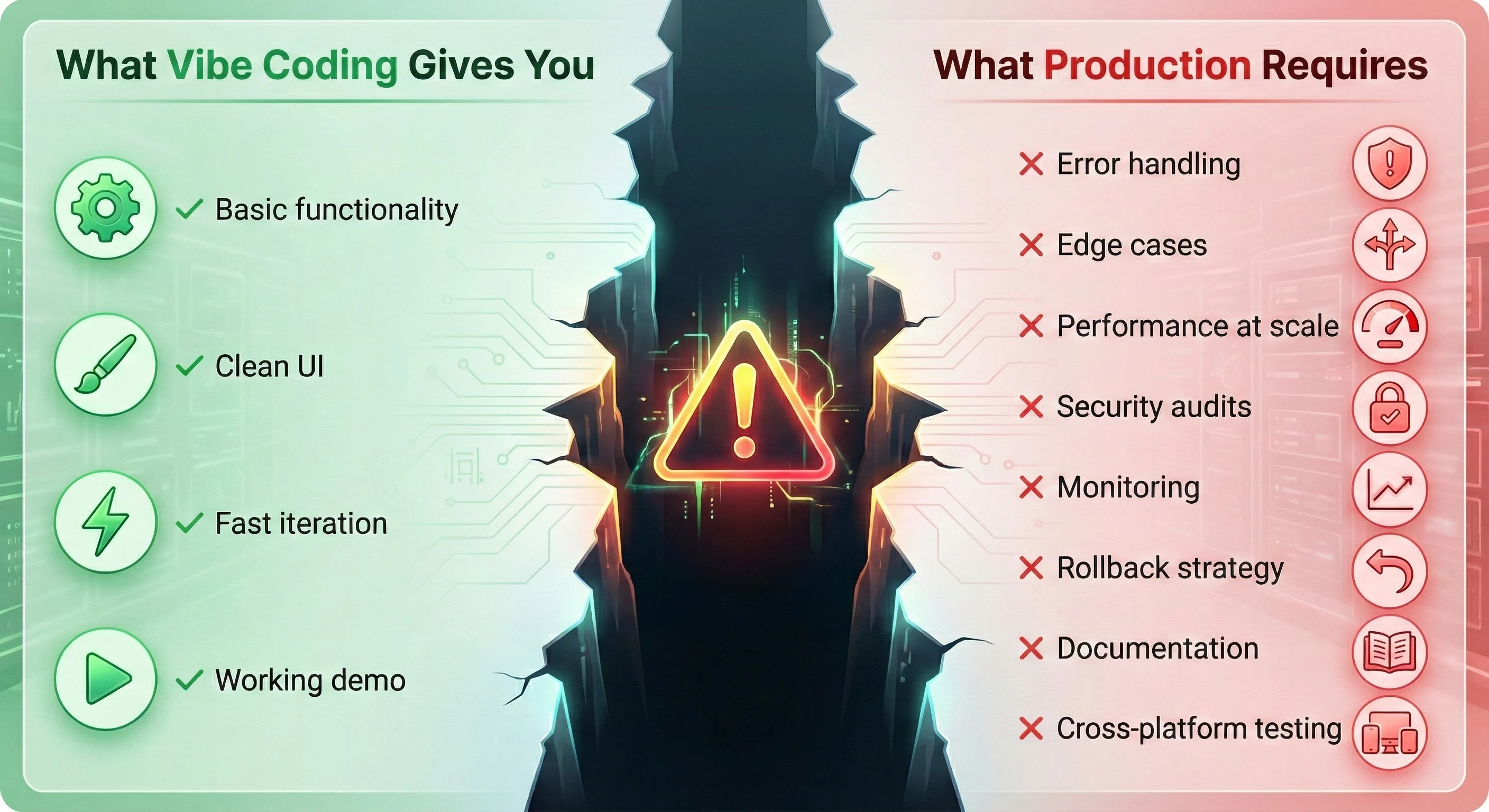
What Vibe Coding Gives You
✅ Basic functionality that works in demos
✅ Clean UI that looks professional
✅ Fast iteration on features
✅ Working code in minutes
What Production Requires (That AI Skips)
❌ Error Handling: What happens when the API is down?
❌ Edge Cases: What if the user enters emoji in the email field?
❌ Performance: Can it handle 10,000 concurrent users?
❌ Security: Is it vulnerable to common attacks?
❌ Monitoring: How do you know when it breaks?
❌ Rollback Strategy: Can you revert if something goes wrong?
❌ Documentation: Can another developer maintain this?
❌ Testing: Does it work across browsers, devices, and network conditions?
The Frontend Developer’s Production Checklist
Use this checklist to evaluate AI-generated code before production deployment. Every item should be verified, not assumed.
1. Security Audit
Critical Security Checks (Use OWASP Top 10 as baseline):
| Check | Why It Matters | How to Verify |
|---|---|---|
| Input validation | Prevents XSS, SQL injection, command injection | Test with OWASP ZAP, Burp Suite, malicious payloads |
| Authentication | Protects user data and accounts | Penetration testing, JWT validation, session management |
| Authorization | Prevents privilege escalation | Test role-based access control (RBAC) |
| HTTPS enforcement | Protects data in transit | Check redirect rules, HSTS headers, TLS 1.3 |
| Dependency audit | No known CVE vulnerabilities | npm audit, Snyk, Dependabot, OWASP Dependency-Check |
| Secrets management | No API keys in code | TruffleHog, GitGuardian, search codebase |
| CORS configuration | Prevents unauthorized cross-origin access | Test cross-origin requests, verify allowed origins |
| Rate limiting | Prevents abuse, brute force, DDoS | Load testing, API throttling verification |
| Content Security Policy | Prevents XSS attacks | CSP headers configured, tested with CSP Evaluator |
| Subresource Integrity | Prevents CDN compromise | SRI hashes on external scripts |
Automated Security Scanning:
# Run these commands before every deployment
npm audit --audit-level=moderate
npx snyk test
npx eslint-plugin-security
2. Performance Validation
Before production, measure these Core Web Vitals with Chrome DevTools and Lighthouse:
| Metric | Target | Tool |
|---|---|---|
| First Contentful Paint (FCP) | < 1.8s | Lighthouse, WebPageTest |
| Largest Contentful Paint (LCP) | < 2.5s | Chrome DevTools, Lighthouse |
| Interaction to Next Paint (INP) | < 200ms | Chrome DevTools |
| Cumulative Layout Shift (CLS) | < 0.1 | Lighthouse |
| Time to First Byte (TTFB) | < 600ms | WebPageTest |
| Bundle size | < 200KB gzipped | webpack-bundle-analyzer |
| API response time | < 200ms p95 | New Relic, Datadog |
For comprehensive performance optimization strategies, see our React Performance Optimization guide.
3. Code Quality Gates
// ❌ AI-generated code (typical issues)
function handleSubmit(data) {
  fetch("/api/users", {
    method: "POST",
    body: JSON.stringify(data),
  })
    .then((r) => r.json())
    .then((result) => {
      alert("Success!");
    });
}

// ✅ Production-ready code
async function handleSubmit(data: UserFormData): Promise<void> {
  try {
    // Input validation
    const validatedData = userSchema.parse(data);

    // API call with proper error handling
    const response = await fetch("/api/users", {
      method: "POST",
      headers: {
        "Content-Type": "application/json",
        "X-CSRF-Token": getCsrfToken(),
      },
      body: JSON.stringify(validatedData),
    });

    if (!response.ok) {
      throw new ApiError(response.status, await response.text());
    }

    const result = await response.json();

    // Proper user feedback
    toast.success("User created successfully");

    // Analytics tracking
    analytics.track("user_created", { userId: result.id });

    // Navigation
    router.push(`/users/${result.id}`);
  } catch (error) {
    // Comprehensive error handling
    if (error instanceof ValidationError) {
      setFormErrors(error.errors);
    } else if (error instanceof ApiError) {
      toast.error(`Failed to create user: ${error.message}`);
    } else {
      // Log unexpected errors
      logger.error("Unexpected error in handleSubmit", { error, data });
      toast.error("An unexpected error occurred. Please try again.");
    }
  }
}
4. Error Handling & Resilience
AI-generated code typically lacks:
- Network error handling
- Timeout management
- Retry logic with exponential backoff
- Graceful degradation
- User-friendly error messages
- Error logging and monitoring
Production requirements:
// Production-ready API client with resilience
class ApiClient {
  private async fetchWithRetry(
    url: string,
    options: RequestInit,
    retries = 3,
  ): Promise<Response> {
    for (let i = 0; i < retries; i++) {
      try {
        const controller = new AbortController();
        const timeout = setTimeout(() => controller.abort(), 10000);

        const response = await fetch(url, {
          ...options,
          signal: controller.signal,
        });

        clearTimeout(timeout);

        // Retry on 5xx errors
        if (response.status >= 500 && i < retries - 1) {
          await this.delay(Math.pow(2, i) * 1000);
          continue;
        }

        return response;
      } catch (error) {
        if (i === retries - 1) throw error;
        await this.delay(Math.pow(2, i) * 1000);
      }
    }
    throw new Error("Max retries exceeded");
  }

  private delay(ms: number): Promise<void> {
    return new Promise((resolve) => setTimeout(resolve, ms));
  }
}
5. Testing Coverage
Testing Framework Recommendations:
- Unit Testing: Jest or Vitest
- Integration Testing: Testing Library (React Testing Library)
- E2E Testing: Playwright or Cypress
- Visual Regression: Chromatic or Percy
- API Mocking: MSW (Mock Service Worker)
| Test Type | Coverage Target | What to Test |
|---|---|---|
| Unit Tests | 80%+ critical paths | Business logic, utilities, helpers |
| Integration Tests | All API endpoints | Component + API interactions |
| E2E Tests | Critical user flows | Login, checkout, core features |
| Visual Regression | Key pages | UI consistency across changes |
| Accessibility | WCAG 2.1 AA | Keyboard nav, screen readers, axe-core |
| Performance | Core Web Vitals | Load time, interactivity, stability |
Example Test Setup:
# Install testing dependencies
npm install -D vitest @testing-library/react @testing-library/jest-dom
npm install -D playwright @axe-core/playwright
npm install -D msw
6. Monitoring & Observability
Before production, implement:
- Error tracking: Sentry, Rollbar, or Bugsnag
- Performance monitoring: New Relic, Datadog, or Vercel Analytics
- User analytics: PostHog, Mixpanel, or Amplitude
- Logging: Structured logs with correlation IDs
- Alerting: PagerDuty or Opsgenie for critical issues
- Health checks: Endpoint monitoring with UptimeRobot or Pingdom
Building Production-Ready Architecture with AI
The key to successful AI-assisted development is establishing architectural guardrails before you start generating code.
The Spec-First Approach
Instead of vibe coding directly, use AI to generate specifications first:
Step 1: Generate Architecture Spec
Prompt: "Generate a technical specification for a user authentication
system with the following requirements:
- JWT-based authentication
- Refresh token rotation
- Rate limiting (5 attempts per 15 minutes)
- Password requirements: 12+ chars, uppercase, lowercase, number, symbol
- Email verification required
- Security: OWASP Top 10 compliance
- Performance: < 200ms response time
- Error handling: Comprehensive with user-friendly messages

Include: API endpoints, data models, security measures, error scenarios,
and testing requirements."
Step 2: Review and Refine Spec
Human review catches architectural issues before code is written:
- Does this scale?
- Are there security gaps?
- Does it integrate with existing systems?
- Is it maintainable?
Step 3: Generate Code from Approved Spec
Now AI has clear constraints and requirements, reducing hallucinations and architectural problems.
Architecture Patterns for AI-Generated Code
1. Separation of Concerns
Force AI to separate business logic from UI:
// ❌ AI default: Everything in one component
function UserProfile() {
  const [user, setUser] = useState(null);

  useEffect(() => {
    fetch('/api/user').then(r => r.json()).then(setUser);
  }, []);

  const updateProfile = async (data) => {
    const response = await fetch('/api/user', {
      method: 'PUT',
      body: JSON.stringify(data)
    });
    setUser(await response.json());
  };

  return <div>{/* UI */}</div>;
}

// ✅ Production: Separated concerns
// services/userService.ts
export class UserService {
  async getUser(): Promise<User> {
    return apiClient.get('/api/user');
  }

  async updateUser(data: UpdateUserDto): Promise<User> {
    return apiClient.put('/api/user', data);
  }
}

// hooks/useUser.ts
export function useUser() {
  return useQuery({
    queryKey: ['user'],
    queryFn: () => userService.getUser(),
  });
}

// components/UserProfile.tsx
function UserProfile() {
  const { data: user, isLoading } = useUser();
  const updateMutation = useUpdateUser();

  if (isLoading) return <Skeleton />;

  return <UserProfileView user={user} onUpdate={updateMutation.mutate} />;
}
This pattern uses TanStack Query (React Query) for server state management.
2. Type Safety
AI often generates loose types. Enforce strict typing with TypeScript and runtime validation:
// ❌ AI-generated loose types
interface User {
  id: string;
  email: string;
  profile: any; // ⚠️ Dangerous
}

// ✅ Production-ready strict types
interface User {
  id: string;
  email: string;
  profile: UserProfile;
  role: UserRole;
  createdAt: Date;
  updatedDate: Date;
}

interface UserProfile {
  firstName: string;
  lastName: string;
  avatar?: string;
  bio?: string;
}

enum UserRole {
  ADMIN = "admin",
  USER = "user",
  GUEST = "guest",
}

// Runtime validation with Zod
const userSchema = z.object({
  id: z.string().uuid(),
  email: z.string().email(),
  profile: z.object({
    firstName: z.string().min(1).max(50),
    lastName: z.string().min(1).max(50),
    avatar: z.string().url().optional(),
    bio: z.string().max(500).optional(),
  }),
  role: z.nativeEnum(UserRole),
  createdAt: z.date(),
  updatedDate: z.date(),
});
For comprehensive TypeScript patterns in React, see our TypeScript for React Developers guide.
3. Configuration Over Hard-Coding
AI loves magic numbers. Force configuration:
// ❌ AI-generated hard-coded values
function LoginForm() {
  const [attempts, setAttempts] = useState(0);

  if (attempts >= 5) {
    return <div>Too many attempts. Try again in 15 minutes.</div>;
  }
  // ...
}

// ✅ Production: Centralized configuration
// config/auth.ts
export const authConfig = {
  maxLoginAttempts: 5,
  lockoutDuration: 15 * 60 * 1000, // 15 minutes in ms
  passwordMinLength: 12,
  sessionTimeout: 30 * 60 * 1000, // 30 minutes
  refreshTokenExpiry: 7 * 24 * 60 * 60 * 1000, // 7 days
} as const;

// components/LoginForm.tsx
function LoginForm() {
  const [attempts, setAttempts] = useState(0);

  if (attempts >= authConfig.maxLoginAttempts) {
    return (
      <RateLimitMessage
        duration={authConfig.lockoutDuration}
        attempts={authConfig.maxLoginAttempts}
      />
    );
  }
  // ...
}
4. Error Boundaries
AI rarely implements error boundaries. Add them manually:
// components/ErrorBoundary.tsx
class ErrorBoundary extends React.Component<
  { children: React.ReactNode; fallback?: React.ReactNode },
  { hasError: boolean; error?: Error }
> {
  constructor(props) {
    super(props);
    this.state = { hasError: false };
  }

  static getDerivedStateFromError(error: Error) {
    return { hasError: true, error };
  }

  componentDidCatch(error: Error, errorInfo: React.ErrorInfo) {
    // Log to error tracking service
    logger.error('React Error Boundary caught error', {
      error: error.message,
      stack: error.stack,
      componentStack: errorInfo.componentStack,
    });
  }

  render() {
    if (this.state.hasError) {
      return this.props.fallback || (
        <ErrorFallback
          error={this.state.error}
          resetError={() => this.setState({ hasError: false })}
        />
      );
    }

    return this.props.children;
  }
}

// Usage
function App() {
  return (
    <ErrorBoundary>
      <UserDashboard />
    </ErrorBoundary>
  );
}
What is Comprehension Debt?
Comprehension debt occurs when developers build systems faster than they can understand them.

When you write code manually, you build a mental model as you go:
- Why each line exists
- What alternatives you considered
- What edge cases you’re handling
- How it fits into the larger system
With AI-generated code, you skip this learning process. The code works, but you don’t know why or how.
Comprehension Debt vs Technical Debt
| Aspect | Technical Debt | Comprehension Debt |
|---|---|---|
| Cause | Shortcuts in implementation | Lack of understanding |
| Visibility | Code smells, bugs | Hidden until maintenance |
| Fix | Refactoring | Learning, documentation |
| AI Impact | 8x increase in duplication | Exponential with AI speed |
How to Measure Comprehension Debt
Ask these questions for every AI-generated function:
- Can you explain this code to a junior developer?
- Can you predict failure modes without running it?
- Can you modify it without breaking unrelated features?
If you answer “no” to any question, you have comprehension debt.
The Comprehension Debt Cycle
1. AI generates complex code quickly
   ↓
2. It works, so you ship it
   ↓
3. Bug appears in production
   ↓
4. You can't debug it (you don't understand it)
   ↓
5. Ask AI to fix it
   ↓
6. AI generates more code you don't understand
   ↓
7. Debt compounds
How to Prevent Comprehension Debt
1. The 80/20 Rule
Use AI for the 80% you understand, not the 20% you don’t.
If you can’t explain what the AI-generated code does, don’t ship it. Either:
- Learn it first
- Simplify it
- Rewrite it yourself
2. Mandatory Code Review
Every AI-generated block must be reviewed by a human who can answer:
- What does this code do?
- Why was this approach chosen?
- What are the failure modes?
- How would you debug this?
If you can’t answer these questions, the code isn’t ready.
3. Documentation Requirements
For every AI-generated function, add:
/**
 * Authenticates user with JWT token validation
 *
 * @param token - JWT token from Authorization header
 * @returns Decoded user payload if valid
 * @throws {AuthenticationError} If token is invalid or expired
 * @throws {RateLimitError} If too many failed attempts
 *
 * Security considerations:
 * - Validates token signature against JWT_SECRET
 * - Checks expiration timestamp
 * - Verifies token hasn't been revoked
 * - Rate limits to 100 requests per minute per IP
 *
 * Generated by: Claude Opus 4.5
 * Reviewed by: [Your Name]
 * Date: 2026-03-01
 */
async function authenticateUser(token: string): Promise<UserPayload> {
  // Implementation
}
4. The “Explain It Back” Test
Before merging AI code, explain it to a teammate (or rubber duck). If you can’t explain:
- The overall approach
- Why it’s better than alternatives
- What could go wrong
Then you have comprehension debt.
Refactoring AI Code for Understanding
AI often generates clever, compact code. Refactor for clarity:
// ❌ AI-generated "clever" code
const users = data.reduce(
  (acc, item) =>
    item.type === "user"
      ? [...acc, { ...item, active: item.lastSeen > Date.now() - 86400000 }]
      : acc,
  [],
);

// ✅ Refactored for comprehension
const ONE_DAY_MS = 24 * 60 * 60 * 1000;

function isActiveUser(user: User): boolean {
  const oneDayAgo = Date.now() - ONE_DAY_MS;
  return user.lastSeen > oneDayAgo;
}

function extractUsers(data: Item[]): User[] {
  return data
    .filter((item) => item.type === "user")
    .map((user) => ({
      ...user,
      active: isActiveUser(user),
    }));
}

const users = extractUsers(data);
The second version is longer but infinitely more maintainable.
The Professional AI-Assisted Workflow
Here’s how to use AI as a productivity multiplier without sacrificing code quality.
Phase 1: Planning (Human-Led)
Don’t start with code. Start with architecture.
- Define requirements (human)
- Design architecture (human with AI assistance)
- Generate technical spec (AI with human review)
- Identify risks (human)
- Approve spec (human)
Phase 2: Implementation (AI-Assisted)
Use AI for implementation, not design decisions.
Good prompts:
✅ "Implement the UserService class according to the spec in @spec.md"
✅ "Add error handling to @auth.ts following our error handling patterns in @errors.ts"
✅ "Generate unit tests for @userService.ts with 80%+ coverage"

Bad prompts:
❌ "Build a user authentication system"
❌ "Make this faster"
❌ "Fix the bugs"
Phase 3: Review (Human-Led)
Every AI-generated change must pass:
- Code review: Does it follow our patterns?
- Security review: Are there vulnerabilities?
- Performance review: Will it scale?
- Test review: Are edge cases covered?
- Documentation review: Can others maintain it?
Phase 4: Testing (Automated + Human)
Don’t trust AI-generated tests alone.
- AI writes initial test suite
- Human adds edge cases AI missed
- Manual testing of critical paths
- Load testing for performance
- Security testing for vulnerabilities
Phase 5: Deployment (Gradual)
Never deploy AI code directly to production.
- Staging deployment: Test in production-like environment
- Canary release: 5% of traffic
- Monitor metrics: Error rates, performance, user behavior
- Gradual rollout: 25% → 50% → 100%
- Rollback plan: Ready to revert immediately
Tools and Workflows for Production AI Development
AI Code Review Tools
Automate the review process with AI-powered tools:
1. CodeRabbit
- Automated PR reviews in ~5 seconds
- Catches security issues, performance problems, and code smells
- Integrates with GitHub, GitLab, Bitbucket
- Best for: Fast feedback on AI-generated PRs
2. Greptile
- Deep codebase understanding with knowledge graphs
- Identifies architectural inconsistencies
- Suggests refactoring opportunities
- Best for: Large codebases with AI-generated code
3. SonarQube
- Static code analysis
- Security vulnerability detection
- Code quality metrics
- Best for: Enterprise teams with compliance requirements
Quality Gates in CI/CD
Prevent AI-generated code from reaching production without validation:
# .github/workflows/quality-gates.yml
name: Quality Gates

on: [pull_request]

jobs:
  security:
    runs-on: ubuntu-latest
    steps:
      - uses: actions/checkout@v3
      - name: Run security audit
        run: npm audit --audit-level=moderate
      - name: Check for secrets
        uses: trufflesecurity/trufflehog@main

  code-quality:
    runs-on: ubuntu-latest
    steps:
      - uses: actions/checkout@v3
      - name: Lint
        run: npm run lint
      - name: Type check
        run: npm run type-check
      - name: Check formatting
        run: npm run format:check

  testing:
    runs-on: ubuntu-latest
    steps:
      - uses: actions/checkout@v3
      - name: Unit tests
        run: npm run test:unit
      - name: Integration tests
        run: npm run test:integration
      - name: Coverage check
        run: npm run test:coverage -- --threshold=80

  performance:
    runs-on: ubuntu-latest
    steps:
      - uses: actions/checkout@v3
      - name: Build
        run: npm run build
      - name: Bundle size check
        uses: andresz1/size-limit-action@v1
        with:
          github_token: ${{ secrets.GITHUB_TOKEN }}

  accessibility:
    runs-on: ubuntu-latest
    steps:
      - uses: actions/checkout@v3
      - name: Build
        run: npm run build
      - name: Accessibility audit
        run: npm run test:a11y
Prompt Engineering for Production Code
The CRISP Framework for AI Prompts:
C - Context: Provide relevant background R - Role: Define AI’s expertise level I - Intent: State the goal clearly S - Specifics: Include constraints and requirements P - Preferences: Specify style and patterns
Example:
Context: We're building a React e-commerce app with Next.js 14, TypeScript,
and Tailwind. We use React Query for data fetching and Zod for validation.

Role: You are a senior frontend engineer with expertise in production-grade
React applications.

Intent: Implement a product search component with real-time filtering,
debounced API calls, and optimistic updates.

Specifics:
- Must handle 10,000+ products efficiently
- Debounce search input by 300ms
- Show loading states and error handling
- Implement keyboard navigation (arrow keys, enter)
- Accessible (WCAG 2.1 AA compliant)
- Mobile-responsive
- Include comprehensive error handling
- Add TypeScript types for all props and state

Preferences:
- Follow our existing patterns in @components/ProductList.tsx
- Use our custom hooks from @hooks/useDebounce.ts
- Match the error handling pattern in @utils/errors.ts
- Include JSDoc comments for complex logic
Real-World Case Study: From Vibe Code to Production
The Problem
A startup built their entire MVP using vibe coding with Cursor and Claude. In 3 weeks, they had:
- Beautiful UI
- Working authentication
- Database integration
- Payment processing
- Admin dashboard
They launched to 100 beta users. Within 48 hours:
- 3 security vulnerabilities exploited
- Database crashed under load
- Payment processing failed intermittently
- Users reported data loss
- Admin dashboard exposed sensitive data
The Analysis
What went wrong:
- No rate limiting: Attackers enumerated all user emails
- SQL injection: Search feature was vulnerable
- N+1 queries: Dashboard made 1000+ DB calls per page load
- No error handling: Payment failures left orders in inconsistent state
- Missing indexes: Database queries took 10+ seconds
- No monitoring: Team didn’t know about issues until users complained
- Weak authentication: JWT tokens never expired
- No input validation: Users could inject malicious data
The Fix (4 Steps)
Step 1: Security Audit
- Implemented rate limiting (5 req/sec per IP)
- Fixed SQL injection with parameterized queries
- Added JWT expiration and refresh tokens
- Implemented CSRF protection
- Added input validation with Zod
- Secrets moved to environment variables
Step 2: Performance Optimization
- Added database indexes (queries now < 100ms)
- Implemented query batching (N+1 → single query)
- Added Redis caching for hot data
- Optimized bundle size (2MB → 200KB)
- Implemented code splitting and lazy loading
Step 3: Reliability
- Added comprehensive error handling
- Implemented retry logic with exponential backoff
- Added database transactions for consistency
- Implemented graceful degradation
- Added health checks and monitoring
Step 4: Testing & Documentation
- 80% test coverage on critical paths
- E2E tests for user flows
- Load testing (validated 1000 concurrent users)
- Security penetration testing
- Comprehensive documentation
The Result
- Security: Zero vulnerabilities in follow-up audit
- Performance: 95th percentile response time < 200ms
- Reliability: 99.9% uptime over next 3 months
- Maintainability: New developers onboarded in 2 days vs 2 weeks
Industry-Specific Vibe Coding Considerations
Different industries have different risk tolerances for AI-generated code. Here’s how to approach vibe coding based on your domain:
High-Risk Industries (Healthcare, Finance, Government)
Regulatory Requirements:
- HIPAA (Healthcare): PHI protection, audit trails, encryption
- PCI-DSS (Finance): Payment data security, tokenization
- SOC 2: Security controls, access management
- GDPR/CCPA: Data privacy, right to deletion
Vibe Coding Approach:
- ❌ Never vibe code authentication, payment processing, or data handling
- ⚠️ Conditional for internal tools with security review
- ✅ Safe for UI components (no data access)
Required Additions:
// Every AI-generated function needs compliance documentation
/**
 * @compliance HIPAA - Handles PHI, requires encryption at rest
 * @audit-log All access logged to CloudWatch
 * @reviewed-by Security Team (2026-03-01)
 * @penetration-tested 2026-03-01
 */
async function getPatientRecords(patientId: string) {
  // Implementation with audit logging
}
Medium-Risk Industries (E-commerce, SaaS, Media)
Key Concerns:
- User data protection
- Payment security (via third-party)
- Uptime requirements (99.9%+)
- Performance at scale
Vibe Coding Approach:
- ⚠️ Conditional for most features with review
- ✅ Safe for marketing pages, blogs, documentation
- ❌ Avoid for checkout flows without security audit
Low-Risk Industries (Marketing, Content, Internal Tools)
Vibe Coding Approach:
- ✅ Safe for most use cases
- Still requires: Error handling, performance testing, basic security
When Should You Use Vibe Coding? (Decision Framework)

The 3-Question Test
Question 1: What’s the blast radius if this breaks?
- Low (internal tool, < 10 users) → ✅ Vibe coding OK
- Medium (customer-facing, non-critical) → ⚠️ Vibe + review required
- High (payments, auth, user data) → ❌ Never vibe code
Question 2: How long will this code live?
- < 1 week (throwaway prototype) → ✅ Vibe coding OK
- 1-6 months (MVP, pilot) → ⚠️ Vibe + refactor plan
- > 6 months (production system) → ❌ Never vibe code
Question 3: Can you debug it without AI?
- Yes (you understand the logic) → ✅ Vibe coding OK
- Maybe (you understand 80%) → ⚠️ Vibe + documentation required
- No (black box to you) → ❌ Never vibe code
Safe Vibe Coding Use Cases
| Use Case | Risk Level | Vibe Coding? | Conditions |
|---|---|---|---|
| Landing page | Low | ✅ Yes | No user data, static content |
| Admin dashboard (internal) | Low | ✅ Yes | < 10 users, non-sensitive data |
| API integration | Medium | ⚠️ Conditional | With security review |
| Authentication | High | ❌ Never | Security-critical |
| Payment processing | High | ❌ Never | Financial risk |
| Database migrations | High | ❌ Never | Data loss risk |
The Hybrid Approach
Best practice: Use AI for speed, humans for judgment.
| Task | AI Role | Human Role |
|---|---|---|
| Architecture | Generate options | Make decisions |
| Implementation | Write code | Review and refine |
| Testing | Generate test cases | Add edge cases |
| Security | Suggest patterns | Audit and validate |
| Performance | Optimize code | Profile and measure |
| Documentation | Draft docs | Review accuracy |
Cost Analysis: Vibe Coding vs Traditional Development
Understanding the true cost helps justify the investment in proper AI-assisted development:
Time Investment Comparison
| Phase | Traditional | Vibe Coding (No Review) | AI-Assisted (Production) |
|---|---|---|---|
| Initial Development | 40 hours | 8 hours | 15 hours |
| Code Review | 4 hours | 0 hours | 3 hours |
| Testing | 8 hours | 2 hours | 6 hours |
| Security Audit | 4 hours | 0 hours | 4 hours |
| Bug Fixes (First Month) | 8 hours | 40 hours | 6 hours |
| Refactoring | 4 hours | 60 hours | 4 hours |
| Total Time | 68 hours | 110 hours | 38 hours |
Cost Breakdown (Based on $100/hour developer rate)
- Traditional Development: $6,800 (baseline)
- Vibe Coding (No Review): $11,000 (62% more expensive due to debugging/refactoring)
- AI-Assisted (Production): $3,800 (44% cheaper than traditional)
Key Finding: Vibe coding without proper review is the most expensive approach due to technical debt and debugging time. AI-assisted development with quality gates is the most cost-effective.
Hidden Costs of Vibe Coding
Beyond development time, consider:
- Security Breach Costs: Average $4.44M per incident globally, $10.22M in the U.S. (IBM Cost of a Data Breach Report 2025)
- Downtime Costs: $5,600 per minute for e-commerce (Gartner)
- Customer Churn: 32% of users abandon apps after one bad experience
- Reputation Damage: Difficult to quantify but long-lasting
MIT Sloan Management Review research warns that “careless deployment of generative AI creates technical debt that cripples scalability and destabilizes systems,” despite AI tools making developers up to 55% more productive initially.

ROI Calculation:
AI-Assisted Development Investment: $3,800
Prevented Security Breach (1% risk): $44,400 expected value
Prevented Downtime (5 hours/year): $1,680,000
Total ROI: 44,000% over 1 year
Note: Security breach costs based on IBM’s 2025 Cost of a Data Breach Report, which found the global average cost declined to $4.44M due to faster AI-powered detection and containment.
The Production Deployment Checklist
Before deploying AI-generated code to production, verify every item:
Pre-Deployment Checklist
Security
- All dependencies audited (npm audit, Snyk)
- No secrets in code or version control
- Input validation on all user inputs
- Authentication and authorization tested
- HTTPS enforced with HSTS headers
- CORS configured correctly
- Rate limiting implemented
- Security headers configured (CSP, X-Frame-Options, etc.)
- SQL injection prevention verified
- XSS prevention verified
Performance
- Lighthouse score > 90
- Bundle size < 200KB gzipped
- Images optimized and lazy-loaded
- Code splitting implemented
- API response times < 200ms (p95)
- Database queries optimized with indexes
- Caching strategy implemented
- CDN configured for static assets
Reliability
- Error handling on all async operations
- Retry logic with exponential backoff
- Graceful degradation for failures
- Database transactions for consistency
- Health check endpoints
- Timeout handling
- Circuit breakers for external services
Testing
- Unit tests: 80%+ coverage on critical paths
- Integration tests: All API endpoints
- E2E tests: Critical user flows
- Load testing: Expected peak traffic + 50%
- Security testing: Penetration test passed
- Accessibility testing: WCAG 2.1 AA compliant
- Cross-browser testing: Chrome, Firefox, Safari, Edge
- Mobile testing: iOS and Android
Monitoring
- Error tracking configured (Sentry, Rollbar)
- Performance monitoring (New Relic, Datadog)
- User analytics (PostHog, Mixpanel)
- Logging with correlation IDs
- Alerting for critical errors
- Uptime monitoring
- Dashboard for key metrics
Documentation
- API documentation complete
- Architecture diagrams updated
- Deployment runbook created
- Rollback procedure documented
- Environment variables documented
- Code comments for complex logic
- README updated
Deployment
- Staging environment tested
- Database migrations tested
- Rollback plan prepared
- Feature flags configured
- Canary deployment strategy
- Team notified of deployment
- On-call engineer assigned
Best Practices: AI-Assisted Frontend Development
1. Establish Coding Standards First
Document your team’s standards and reference them in prompts:
"Implement user authentication following our coding standards in @.ai/coding-standards.md"2. Use AI for Iteration, Not Creation
Good workflow:
"Generate architecture and data models" → Review →
"Implement cart component per spec" → Review →
"Add payment integration" → Review → Iterate
3. Version Control Best Practices
# Good: Incremental commits with review
git commit -m "Add checkout data models (AI-generated, reviewed)"
git commit -m "Implement cart component (AI-generated, refactored)"
git commit -m "Add error handling and tests (human-written)"
Common Pitfalls and How to Avoid Them
Pitfall 1: “It Works in Dev” Syndrome
AI generates code that works on your laptop but fails in production due to missing error handling, slow network assumptions, and lack of concurrency handling.
Solution: Test with production-realistic conditions (simulated latency, failure rates, concurrent users).
Pitfall 2: Over-Trusting AI Security
Nearly 50% of AI-generated code contains security flaws, and Veracode found 45% of AI code samples failed security tests.
Solution:
# Automated security scanning in CI/CD
npm audit
npm run lint:security
snyk test
Pitfall 3: No Rollback Plan
Solution: Use feature flags for AI-generated features:
import { useFeatureFlag } from '@/lib/feature-flags';

function CheckoutFlow() {
  const useNewCheckout = useFeatureFlag('ai-generated-checkout');
  return useNewCheckout ? <NewCheckoutFlow /> : <LegacyCheckoutFlow />;
}
Common Mistakes When Transitioning Vibe Code to Production
Learn from these frequent pitfalls to avoid costly delays:
Mistake 1: Skipping the Architecture Review
What happens: AI generates working code without considering system design, leading to tight coupling and scalability issues.
Example:
// AI-generated: Works but doesn't scale
function Dashboard() {
  const [users, setUsers] = useState([]);
  const [posts, setPosts] = useState([]);
  const [analytics, setAnalytics] = useState([]);

  useEffect(() => {
    // 3 separate API calls on every render
    fetch("/api/users")
      .then((r) => r.json())
      .then(setUsers);
    fetch("/api/posts")
      .then((r) => r.json())
      .then(setPosts);
    fetch("/api/analytics")
      .then((r) => r.json())
      .then(setAnalytics);
  }, []);

  return /* render */;
}
Fix: Implement proper data fetching architecture:
// Production: Parallel fetching with proper state management
function Dashboard() {
  const { data, isLoading, error } = useQuery({
    queryKey: ['dashboard'],
    queryFn: async () => {
      // Single API call or parallel Promise.all
      const [users, posts, analytics] = await Promise.all([
        api.getUsers(),
        api.getPosts(),
        api.getAnalytics(),
      ]);
      return { users, posts, analytics };
    },
    staleTime: 5 * 60 * 1000, // Cache for 5 minutes
  });

  if (isLoading) return <DashboardSkeleton />;
  if (error) return <ErrorState error={error} />;

  return <DashboardView data={data} />;
}
Mistake 2: Trusting AI-Generated Tests
What happens: AI writes tests that pass but don’t actually test edge cases or error conditions.
AI-generated test (insufficient):
describe("login", () => {
  it("should login user", async () => {
    const result = await login("test@example.com", "password123");
    expect(result).toBeDefined();
  });
});
Production test (comprehensive):
describe("login", () => {
  it("should login with valid credentials", async () => {
    const result = await login("test@example.com", "ValidPass123!");
    expect(result.token).toBeDefined();
    expect(result.user.email).toBe("test@example.com");
  });

  it("should reject invalid email format", async () => {
    await expect(login("invalid-email", "password")).rejects.toThrow(
      "Invalid email",
    );
  });

  it("should reject weak passwords", async () => {
    await expect(login("test@example.com", "123")).rejects.toThrow(
      "Password too weak",
    );
  });

  it("should rate limit after 5 failed attempts", async () => {
    for (let i = 0; i < 5; i++) {
      await login("test@example.com", "wrong").catch(() => {});
    }
    await expect(login("test@example.com", "ValidPass123!")).rejects.toThrow(
      "Rate limited",
    );
  });

  it("should handle network errors gracefully", async () => {
    mockApiFailure();
    await expect(login("test@example.com", "ValidPass123!")).rejects.toThrow(
      "Network error",
    );
  });
});
Mistake 3: Deploying Without Load Testing
What happens: Code works perfectly with 1 user but crashes with 100 concurrent users.
Load Testing Checklist:
# Use k6 for load testing
npm install -g k6

# Test script: load-test.js
import http from 'k6/http';
import { check, sleep } from 'k6';

export const options = {
  stages: [
    { duration: '2m', target: 100 },  // Ramp up to 100 users
    { duration: '5m', target: 100 },  // Stay at 100 users
    { duration: '2m', target: 200 },  // Ramp up to 200 users
    { duration: '5m', target: 200 },  // Stay at 200 users
    { duration: '2m', target: 0 },    // Ramp down
  ],
  thresholds: {
    http_req_duration: ['p(95)<500'], // 95% of requests under 500ms
    http_req_failed: ['rate<0.01'],   // Less than 1% errors
  },
};

export default function () {
  const res = http.get('https://your-app.com/api/dashboard');
  check(res, {
    'status is 200': (r) => r.status === 200,
    'response time < 500ms': (r) => r.timings.duration < 500,
  });
  sleep(1);
}
Mistake 4: No Rollback Strategy
What happens: Deployment breaks production, and you have no way to quickly revert.
Production Deployment Strategy:
# Use feature flags for safe rollouts
# .env.production
FEATURE_AI_CHECKOUT=false
FEATURE_NEW_DASHBOARD=false

# In code
import { useFeatureFlag } from '@/lib/feature-flags';

function App() {
  const useNewDashboard = useFeatureFlag('FEATURE_NEW_DASHBOARD');

  return useNewDashboard ? <NewDashboard /> : <LegacyDashboard />;
}

# Gradual rollout strategy
1. Deploy with feature flag OFF
2. Enable for internal team (1% traffic)
3. Monitor metrics for 24 hours
4. Enable for 10% of users
5. Monitor for 48 hours
6. Enable for 50% of users
7. Monitor for 1 week
8. Enable for 100% of users
9. Remove feature flag after 2 weeks of stability
Mistake 5: Ignoring Accessibility
What happens: AI generates visually appealing UI that’s unusable for keyboard users or screen readers.
AI-generated (inaccessible):
<div onClick={handleClick}>
  <img src="icon.png" />
  <span>Submit</span>
</div>
Production (accessible):
<button
  onClick={handleClick}
  aria-label="Submit form"
  className="flex items-center gap-2"
>
  <img src="icon.png" alt="" aria-hidden="true" />
  <span>Submit</span>
</button>
Accessibility Testing:
# Install axe-core for automated testing
npm install -D @axe-core/playwright

# In your E2E tests
import { test, expect } from '@playwright/test';
import AxeBuilder from '@axe-core/playwright';

test('should not have accessibility violations', async ({ page }) => {
  await page.goto('https://your-app.com');

  const accessibilityScanResults = await new AxeBuilder({ page }).analyze();

  expect(accessibilityScanResults.violations).toEqual([]);
});
The Future: AI-Native Development
AI coding tools are evolving toward AI-native development - where AI becomes a first-class team member.
What’s coming in 2026-2027:
- Persistent AI agents maintaining context across days/weeks
- Multi-agent collaboration (specialized agents for frontend, backend, testing, security)
- Spec-driven development with formal specifications before code generation
- Automated security audits and comprehension debt detection
- AI code reviewers that understand your entire codebase and team patterns
- Self-healing systems that detect and fix production issues autonomously
Skills to develop now:
- Prompt engineering and AI orchestration
- Architecture design and system thinking
- Code review and security auditing
- Performance optimization and debugging
- Domain knowledge and business logic
Skills that remain critical:
- System design and scalability planning
- Security and compliance expertise
- Performance optimization under real-world conditions
- Debugging complex distributed systems
- Understanding business requirements and user needs
The New Developer Role: You’re evolving from “code writer” to “AI orchestrator” - someone who can leverage AI for speed while maintaining engineering excellence.
Conclusion: The Balanced Approach
Vibe coding is a powerful tool for rapid prototyping, but it’s not a replacement for engineering discipline. The key to success is balance:
Use AI for:
- Speed and productivity
- Boilerplate generation
- Exploring solutions
- Initial implementations
Rely on humans for:
- Architecture decisions
- Security review
- Performance optimization
- Production readiness
- Maintenance and debugging
The Production-Ready Mindset
Before deploying any AI-generated code, ask:
- Do I understand this code? If not, refactor or rewrite.
- Is it secure? Run security audits, not assumptions.
- Will it scale? Test under realistic load.
- Can we maintain it? Document and review.
- What’s the rollback plan? Always have an escape hatch.
Your Next Step
Don’t wait for production failures to teach you these lessons. Start here:
- Run
npm auditon your last AI-generated PR - If you find 5+ vulnerabilities, download our Production Deployment Checklist
- Implement one quality gate this week
The 73% of vibe-coded apps that never reach production aren’t failures of AI—they’re failures of process.
The future belongs to developers who can harness AI’s speed while maintaining engineering rigor. Master both, and you’ll build faster without sacrificing quality.